
TcarePlus —
Your Health, In Your Hands
TcarePlus connects patients to registered hospitals and clinics — book services, view records, apply for cover, and check in with your QR code.


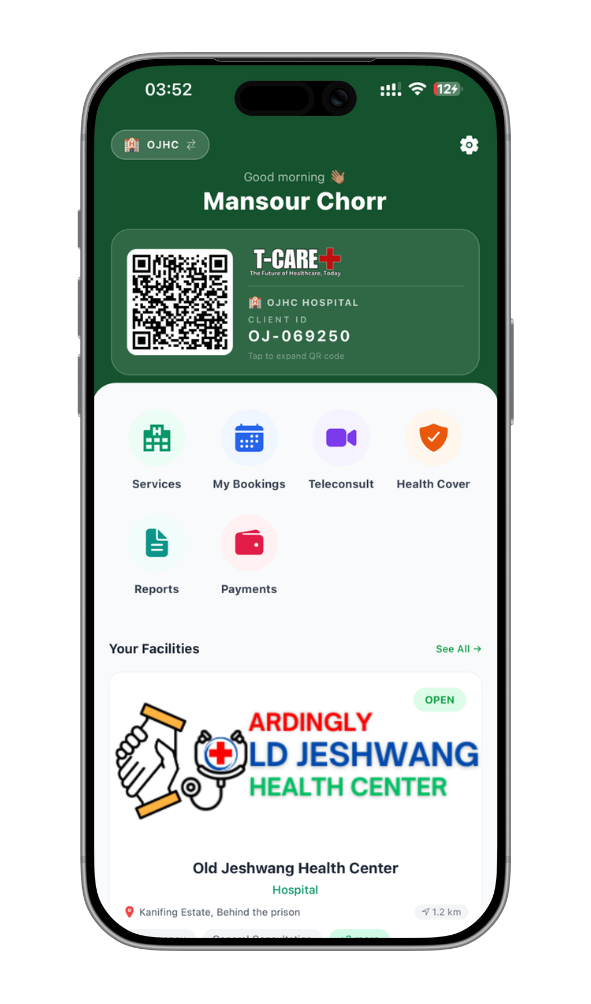
A Complete Patient Portal
Inside the App
Your health card, your records and your bookings, from the facilities you are registered with.
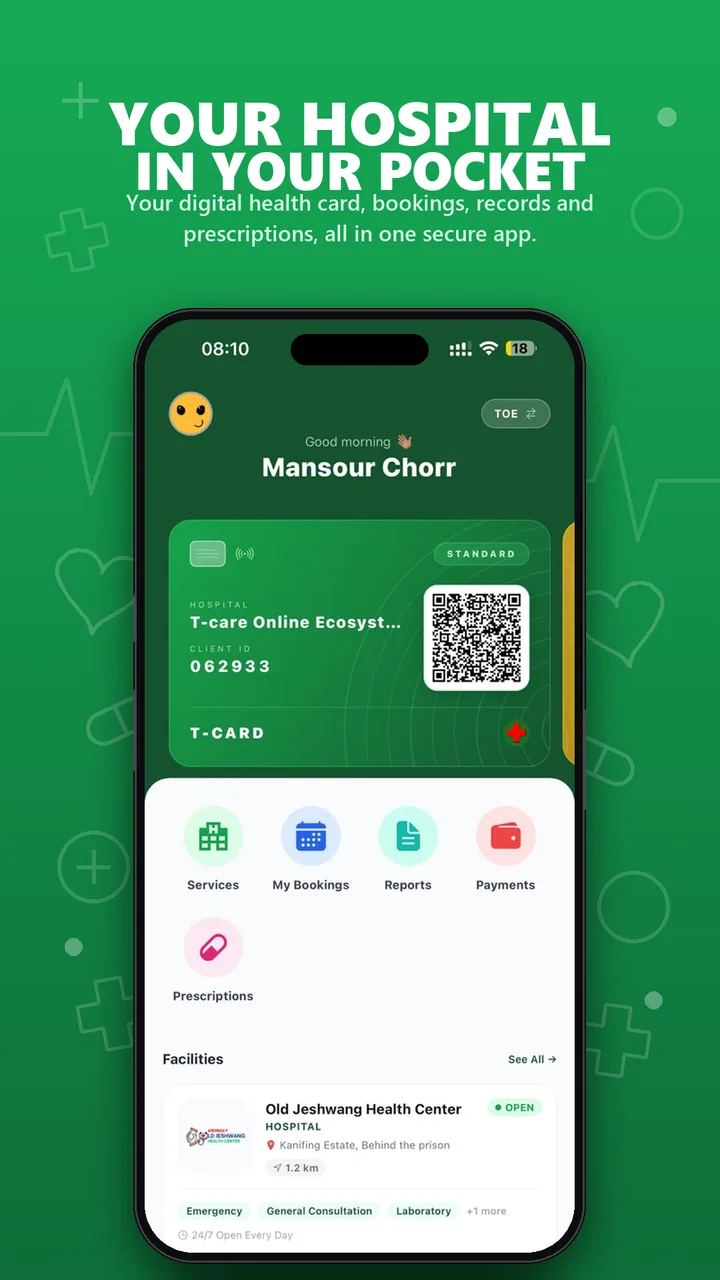
Your T-CARD
One digital health card per facility, with your client ID and QR code on the home screen.
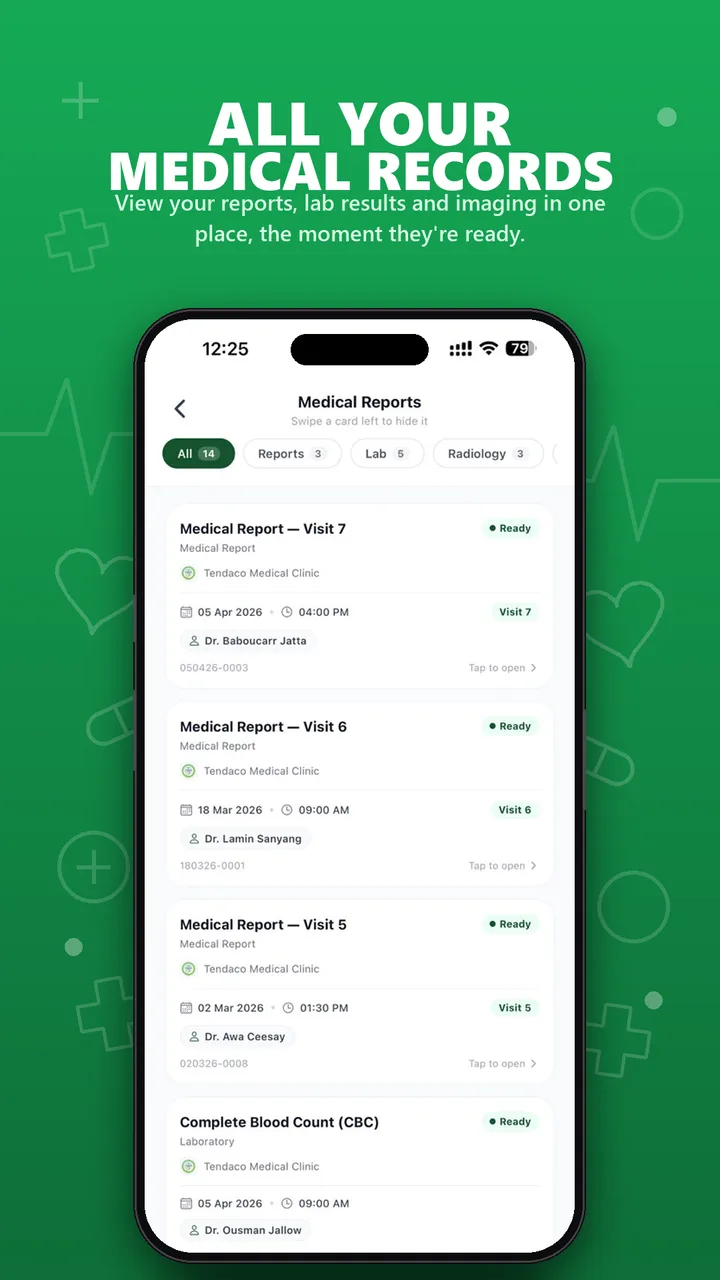
Every visit in one list
Medical reports, lab results and radiology, grouped by visit and facility.
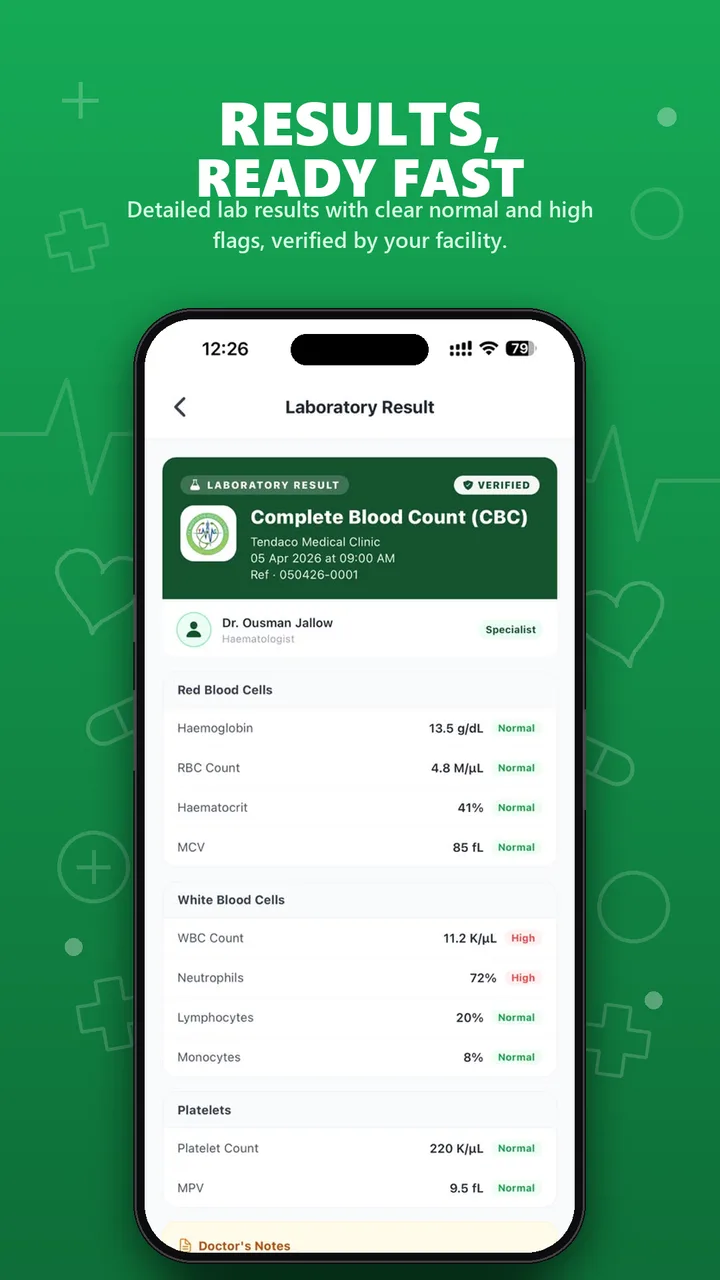
Results you can read
Each value is shown with its unit and a normal or high flag, as released by your facility.
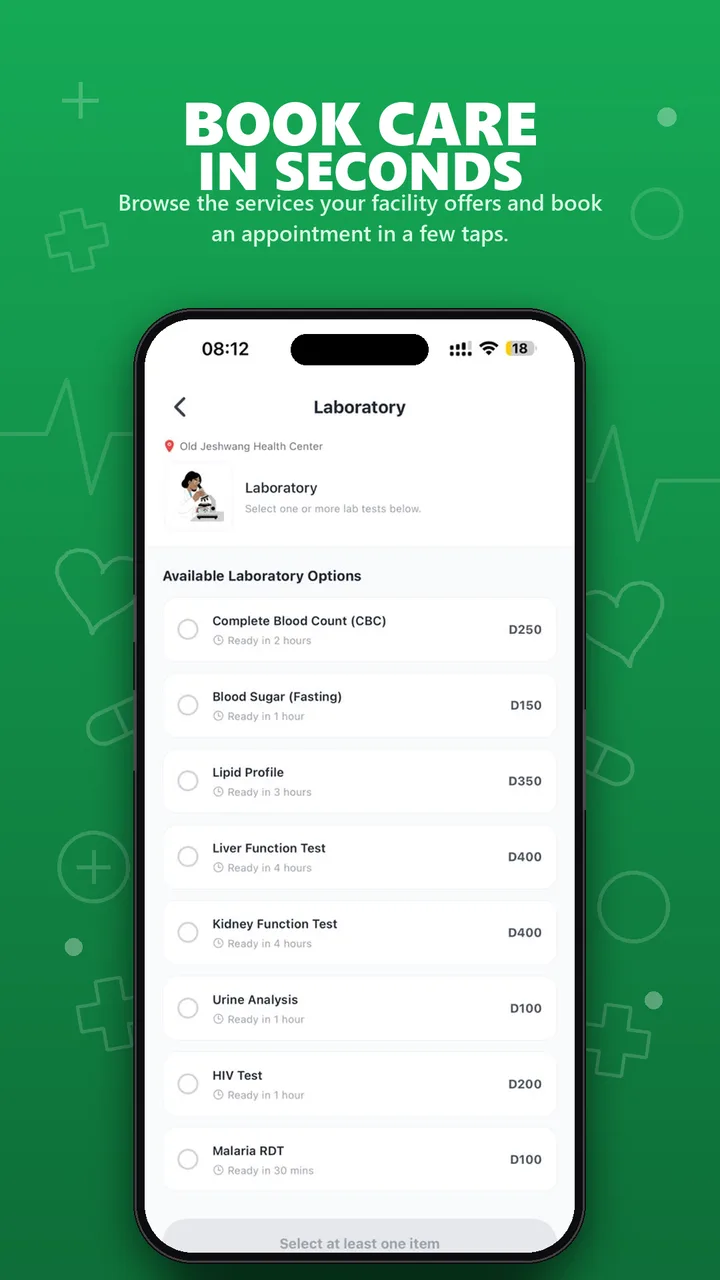
Book lab tests and scans
Browse what your facility offers, with prices, and choose one or more services.
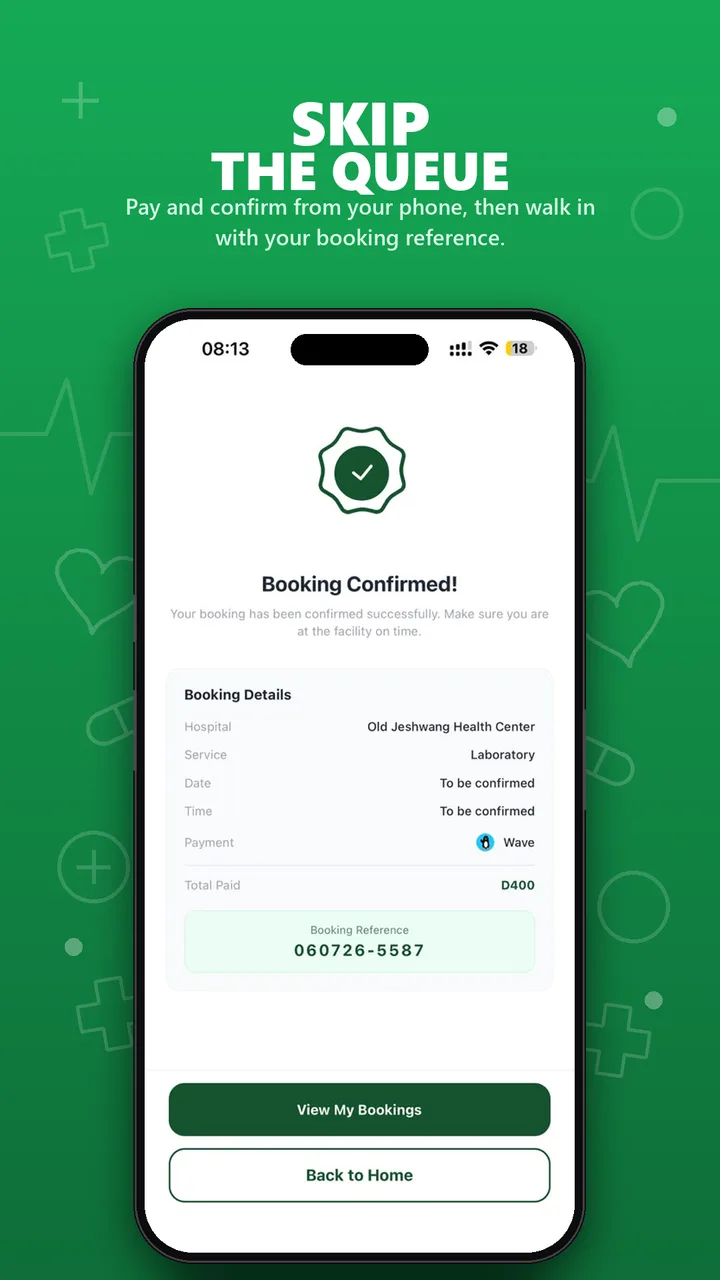
Walk in with a reference
Get a booking reference to show at the facility when you arrive.
T-CARE+ shows information released by your healthcare facility. It does not diagnose conditions and is not a medical device.
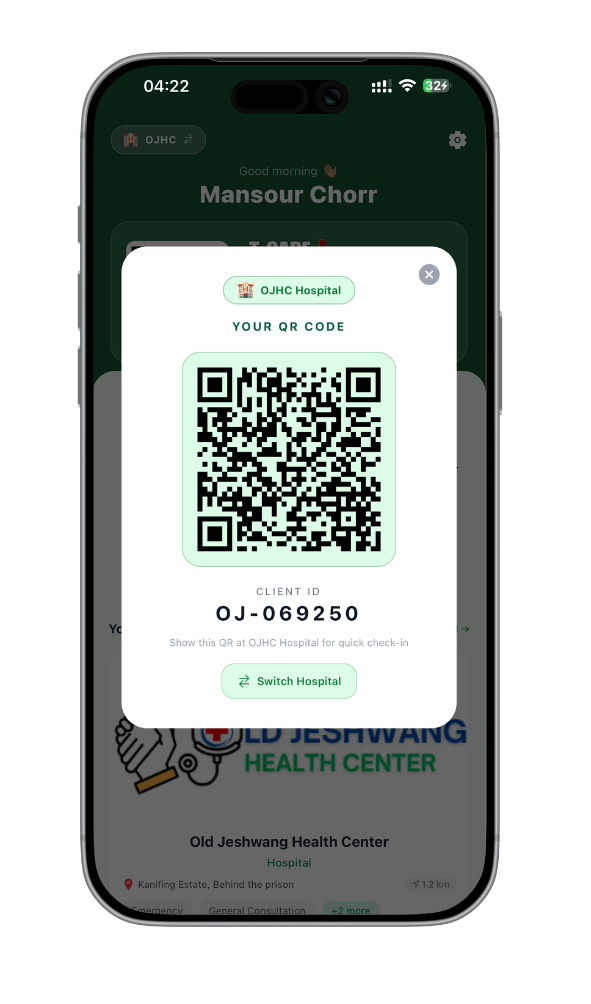
Universal Digital ID
Every patient gets a unique QR code the moment they register. Use it to check in at any T-care-registered hospital or clinic — your information is pulled up instantly.
Patients who don't have smartphones (elderly, young children) receive a physical printed QR card.
How It Works
Download T-CARE+ from the App Store or Google Play and register.
Search and register with hospitals near you.
Book services or walk in and scan your QR code.
View your consultation results and records in the app.
Get T-CARE+ today.
Scan the code with your phone camera. It opens the App Store on iPhone and Google Play on Android.
